---
title: new design
image: https://events.meta-fusion.com/hubfs/Library%20publications%20cards%20Showcase.png
---
[](https://www.meta-fusion.com?hsLang=en)
[](https://events.meta-fusion.com/?hsLang=en)
**Get a quote: sales@meta-fusion.com**
[Showcase](https://events.meta-fusion.com/showcase-form?hsLang=en)
[Showcase](https://events.meta-fusion.com/showcase-form?hsLang=en)
More results
- Solutions
- [Congress Digitalization](https://www.meta-fusion.com/congress-content-digitalization)
- [Meeting & Event Webcast](https://www.meta-fusion.com/meeting-and-event-webcast)
- [Webinars](https://www.meta-fusion.com/webinars)
- [365 video platform](https://www.meta-fusion.com/365-video-platform)
- [»smart video library«](https://www.meta-fusion.com/video-library)
- [Meeting Content Video Player](https://www.meta-fusion.com/video-player)
- [Small Associations](https://www.meta-fusion.com/video-library-for-societies)
- [Professional Congress Organiser](https://www.meta-fusion.com/video-library-for-pcos)
- [AV Provider](https://www.meta-fusion.com/video-library-for-av-suppliers)
- Products
- [All Products](https://events.meta-fusion.com/webcast-and-publishing-products)
- [On-Site Video Production](https://events.meta-fusion.com/on-site-video-production)
- [Virtual Meeting & Webinar Production](https://events.meta-fusion.com/virtual-remote-production)
- [Live Streaming](https://events.meta-fusion.com/live-streaming)
- [On-demand Webcast](https://events.meta-fusion.com/on-demand-webcast)
- [Overflow & Digital Signage](https://events.meta-fusion.com/overflow-signage)
- [365-video Platform](https://www.meta-fusion.com/365-video-platform)
- [Smart Video Library](https://www.meta-fusion.com/video-library)
- [Congress Website](https://events.meta-fusion.com/congress-website)
- [Webcast Microsite](https://events.meta-fusion.com/webcast-microsite)
- [Webcast Widget Hub](https://events.meta-fusion.com/webcast-widget-hub)
- [Webinar Hub](https://events.meta-fusion.com/webinar-hub)
- Pricing
- [Webcast and Services](https://www.meta-fusion.com/webcast_services_pricing)
- [References](https://www.meta-fusion.com/references)
- Resources
- [Blog](https://news.meta-fusion.com/blog)
- Company
- [Contact](https://www.meta-fusion.com/contact)
- [Team](https://www.meta-fusion.com/team)
- Exhibitions and Events
- [IBTM 2026](https://www.meta-fusion.com/lp-ibtm-2026)
- [Backstage with meta-fusion](https://www.meta-fusion.com/backstage-at-a-congress)
- [Zukunftsforum Medizinkongress](https://events.meta-fusion.com/zukunftsforum-medizinkongress)
- [IBTM 2025](https://events.meta-fusion.com/ibtm-2025)
- [IMEX 2026](https://www.meta-fusion.com/imex-2026)
Get in touch: [info@meta-fusion.com](mailto:info@meta-fusion.com)
[Contact](https://www.meta-fusion.com/contact?hsLang=en)
- Solutions
### Solutions for Your Webcast and Video Content
#### Webcast Production
[Congress Content Digitalization](https://www.meta-fusion.com/congress-content-digitalization)
[Meeting & Event Webcast](https://www.meta-fusion.com/meeting-und-event-webcast)
[Webinars](https://www.meta-fusion.com/webinars)
#### **Video Publishing**
[365 Video Platform](https://www.meta-fusion.com/365-video-platform)
[smart video library](https://www.meta-fusion.com/video-library)
[Meeting Content Video Player](https://www.meta-fusion.com/video-player)
#### Branch of Business Solutions
[Small Associations & Societies](https://www.meta-fusion.com/video-library-for-societies)
[Professional Congress Organiser](https://www.meta-fusion.com/video-library-for-pcos)
[AV Provider](https://www.meta-fusion.com/video-library-for-av-suppliers)
---
Get access to our [showcase](https://events.meta-fusion.com/showcase-form)
- [Products](https://events.meta-fusion.com/webcast-and-publishing-products)
### Product Overview Production & Publication
### **Production**
- [On-Site Video Production](https://events.meta-fusion.com/on-site-video-production)
- [Live Streaming](https://events.meta-fusion.com/live-streaming)
- [On-Demand Webcast](https://events.meta-fusion.com/on-demand-webcast)
- [Overflow & Digital Signage](https://events.meta-fusion.com/overflow-signage)
- [Virtual Meeting & Webinar Production](https://events.meta-fusion.com/virtual-remote-production)
### **Publication**
- ##### Event Publication
- [Congress Website](https://events.meta-fusion.com/congress-website)
- [Webcast Microsite](https://events.meta-fusion.com/small-meeting-microsite)
- [Smart Video Library](https://www.meta-fusion.com/video-library)
- [Webcast Widget Hub](https://events.meta-fusion.com/multichannel-project)
- ##### Community Communication
- [365-Video-Platform](https://www.meta-fusion.com/365-video-platform)
- [New Design Look](https://events.meta-fusion.com/new-design)
- [Webinar Hub](https://events.meta-fusion.com/webinar-hub)
- [Webcast Widget Hub](https://events.meta-fusion.com/multichannel-project)
[--- See All Products](https://events.meta-fusion.com/webcast-and-publishing-products)
- Pricing
- [Webcast and Services](https://www.meta-fusion.com/webcast_services_pricing)
- [References](https://www.meta-fusion.com/references)
- [CIRSE Reference](https://events.meta-fusion.com/cirse-webcast-international-congress)
- [ECR Reference](https://events.meta-fusion.com/european-society-of-radiology-webcast-international-congress)
- [UEG Reference](https://events.meta-fusion.com/ueg-live-webcast)
- [ESAIC Reference](https://events.meta-fusion.com/esaic-webcast-and-platform-full-service)
- [National Societies Case Study](https://events.meta-fusion.com/video-library-for-national-societies)
- [EASL Reference](https://events.meta-fusion.com/easl-webcast-and-platform-full-service)
- Resources
- [Blog](https://news.meta-fusion.com/blog)
- Company
- [Contact](https://www.meta-fusion.com/contact)
- [Team](https://www.meta-fusion.com/team)
- Exhibitions and Events
- [IBTM 2026](https://www.meta-fusion.com/lp-ibtm-2026)
- [Backstage with meta-fusion](https://www.meta-fusion.com/backstage-at-a-congress)
- [Zukunftsforum Medizinkongress](https://events.meta-fusion.com/zukunftsforum-medizinkongress)
- [IBTM 2025](https://events.meta-fusion.com/ibtm-2025)
- [IMEX 2026](https://www.meta-fusion.com/imex-2026)
# Your video platform in a new look
More convenience for your members: all videos and posters are even easier to find and, above all: fully searchable.
We have set up a [Q&A section](https://events.meta-fusion.com/new-design#QA) to answer any questions you may have. However, you are always welcome to contact your project manager.
[Explore the platform](https://events.meta-fusion.com/showcase-form?hsLang=en)
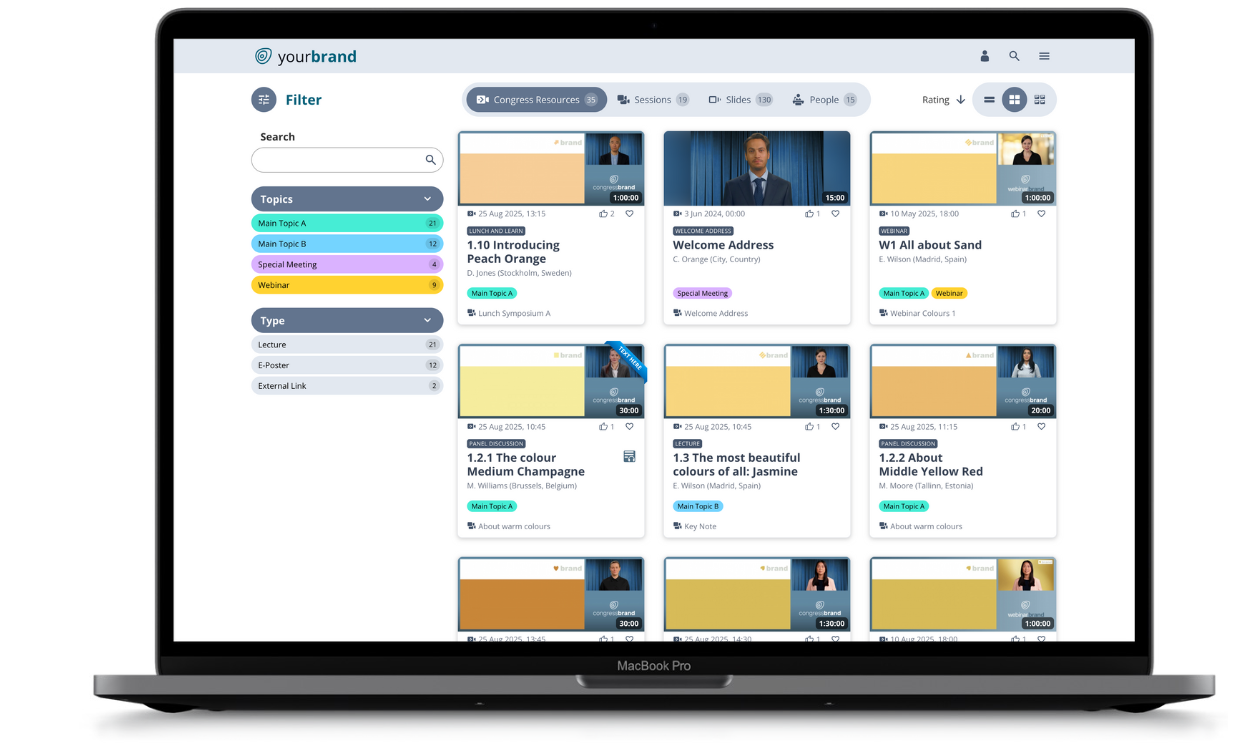
# Form your unique congress video platform
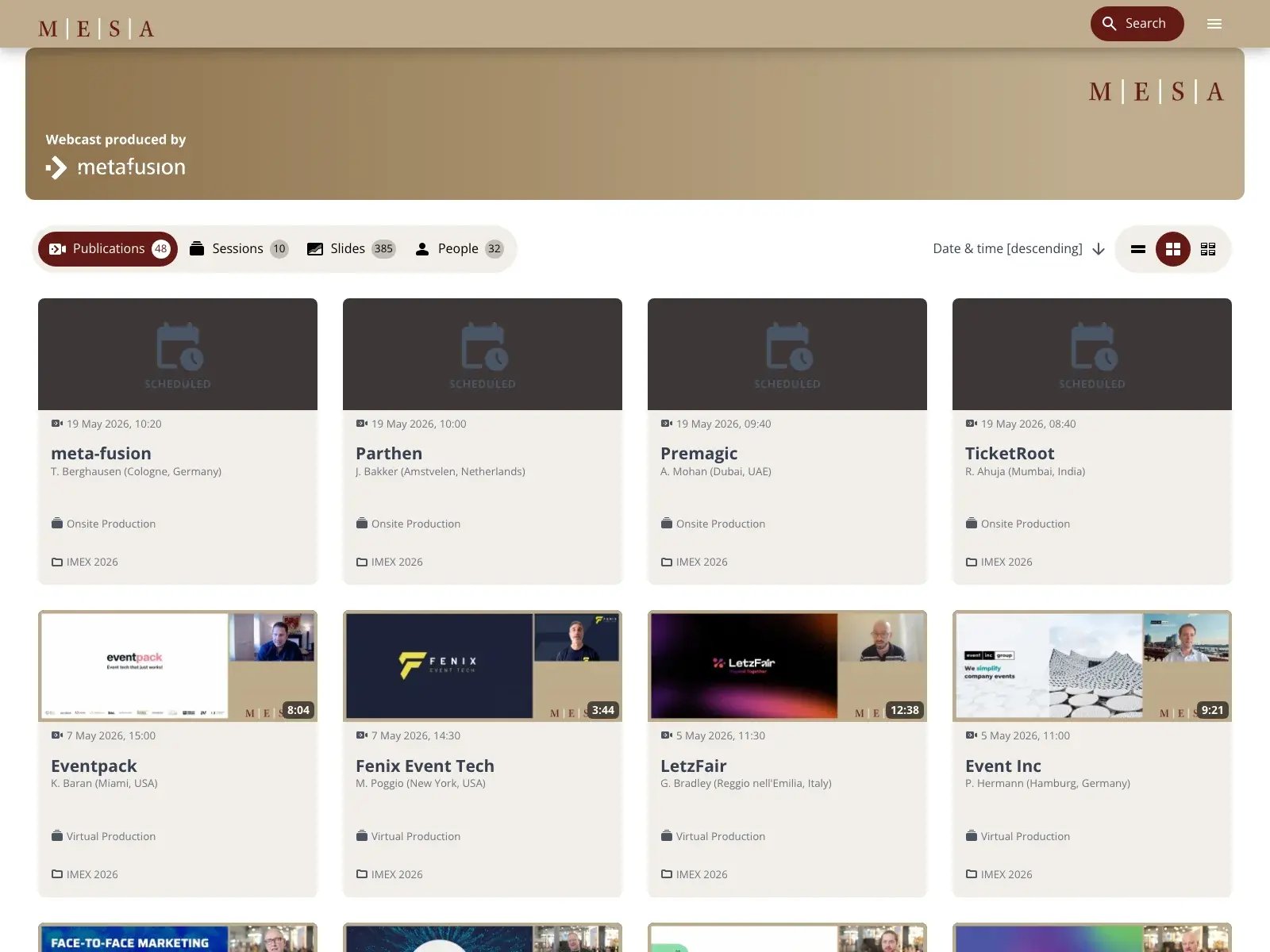
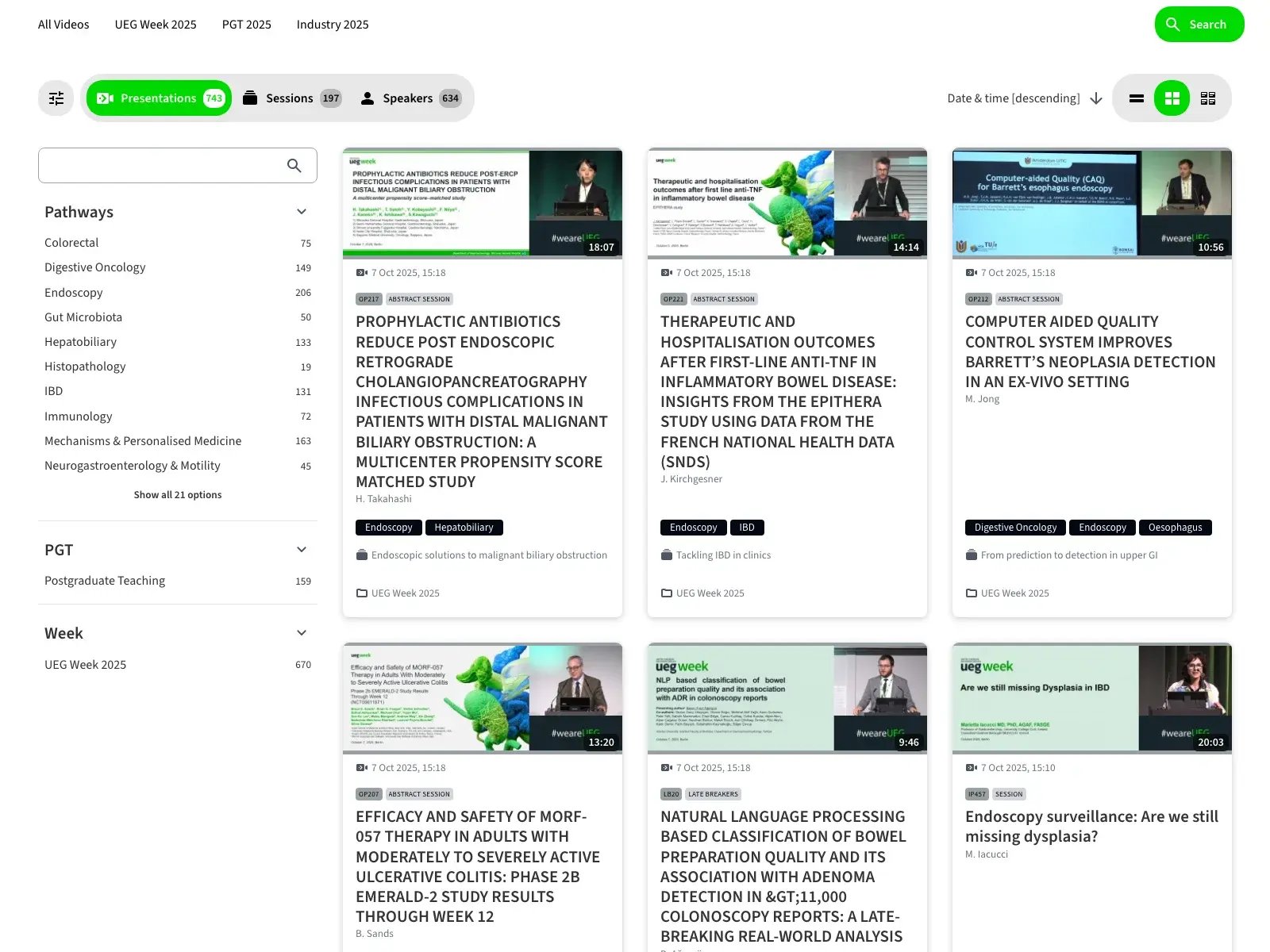
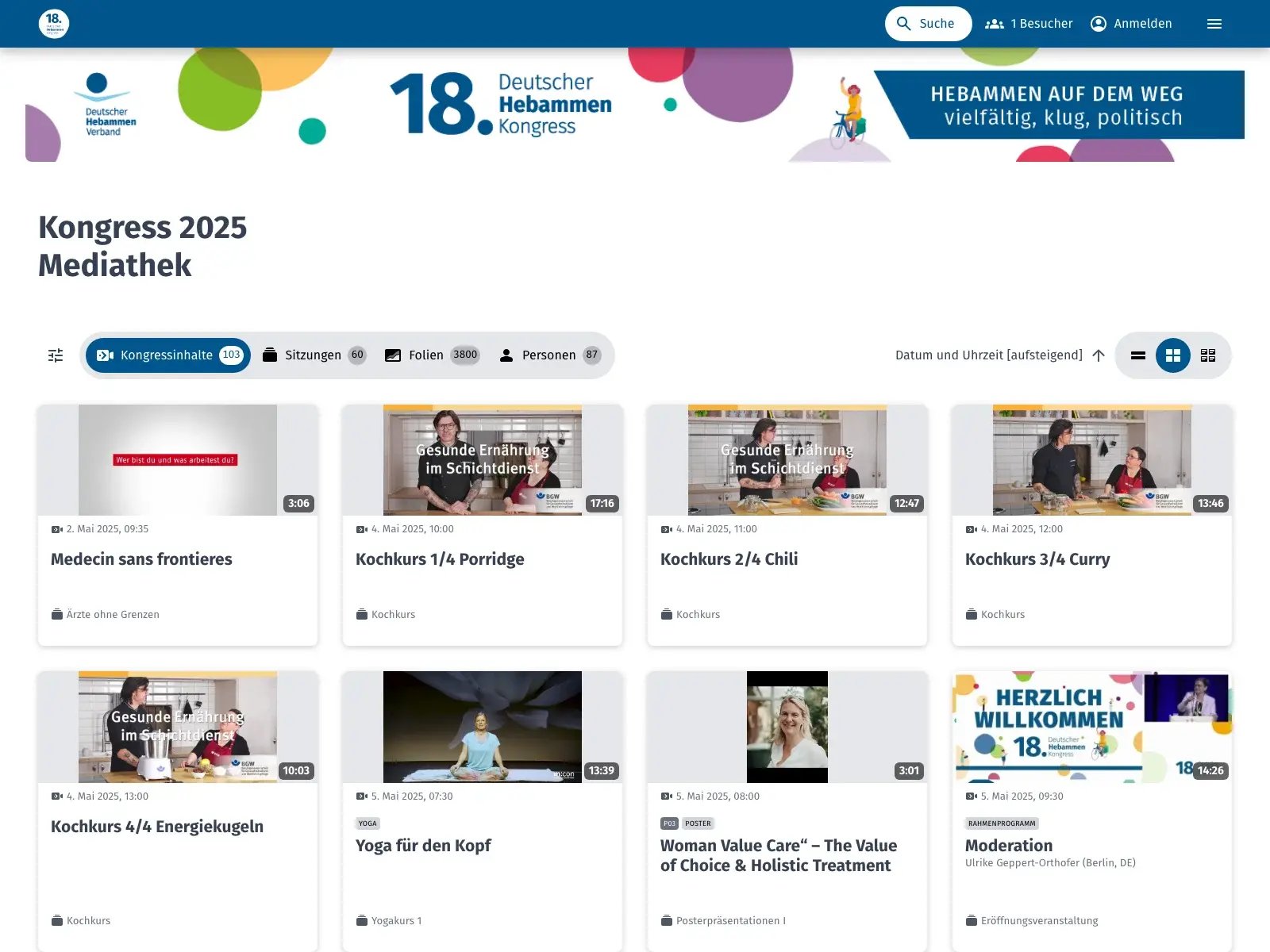
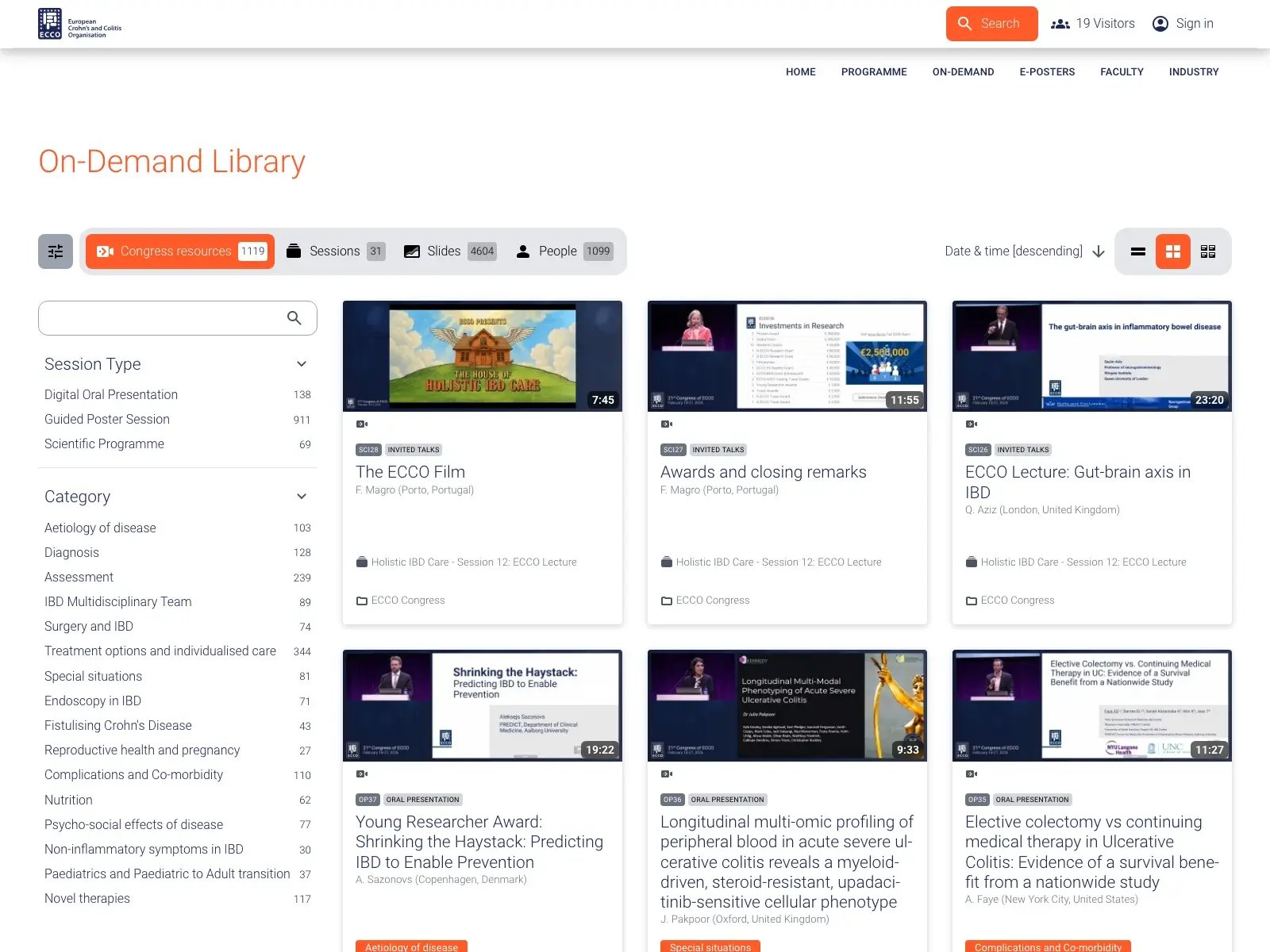
See the different designs of our customers platforms.
[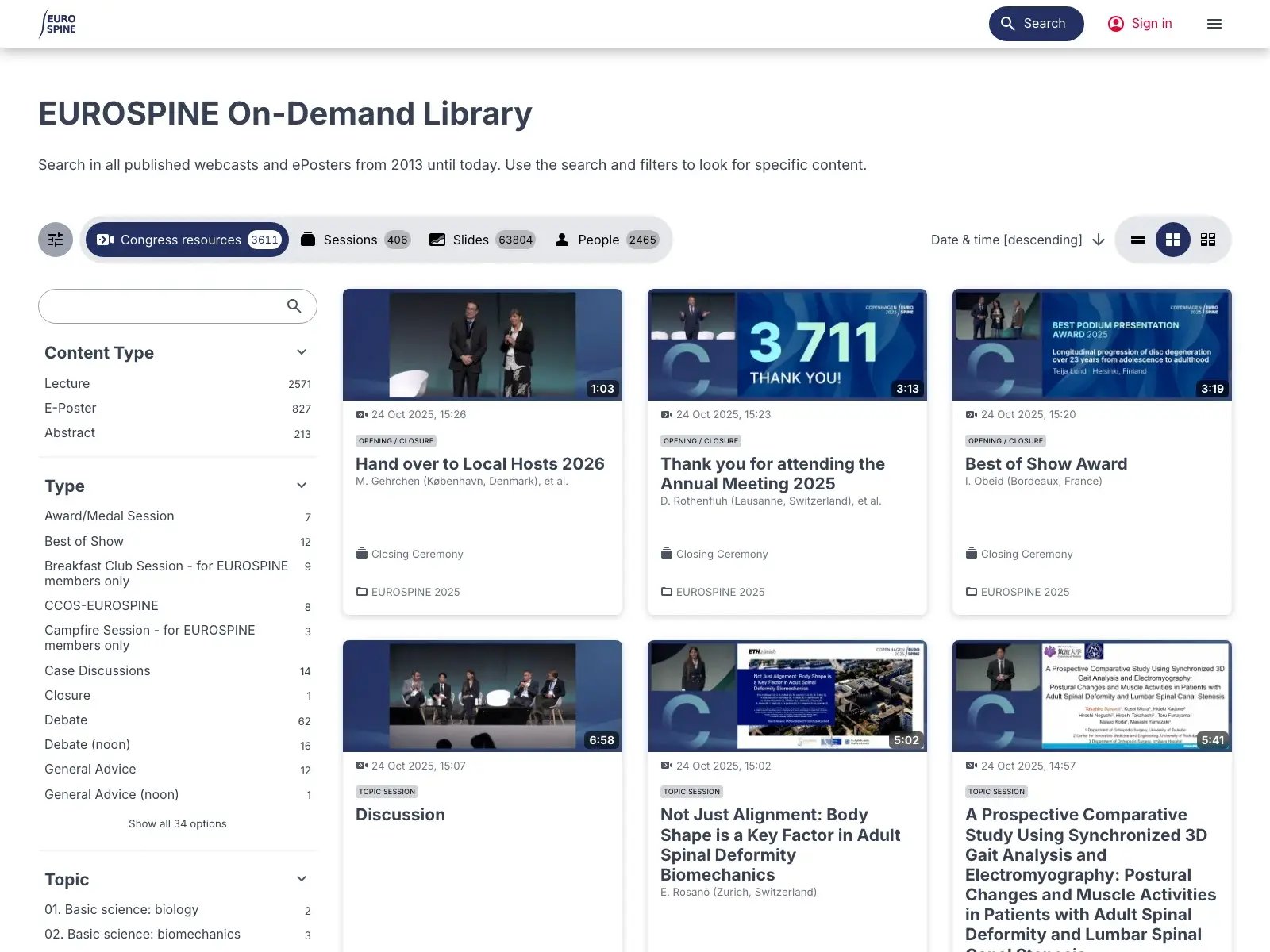](https://events.meta-fusion.com/hubfs/screenshot-EUROSPINE.webp?hsLang=en)
[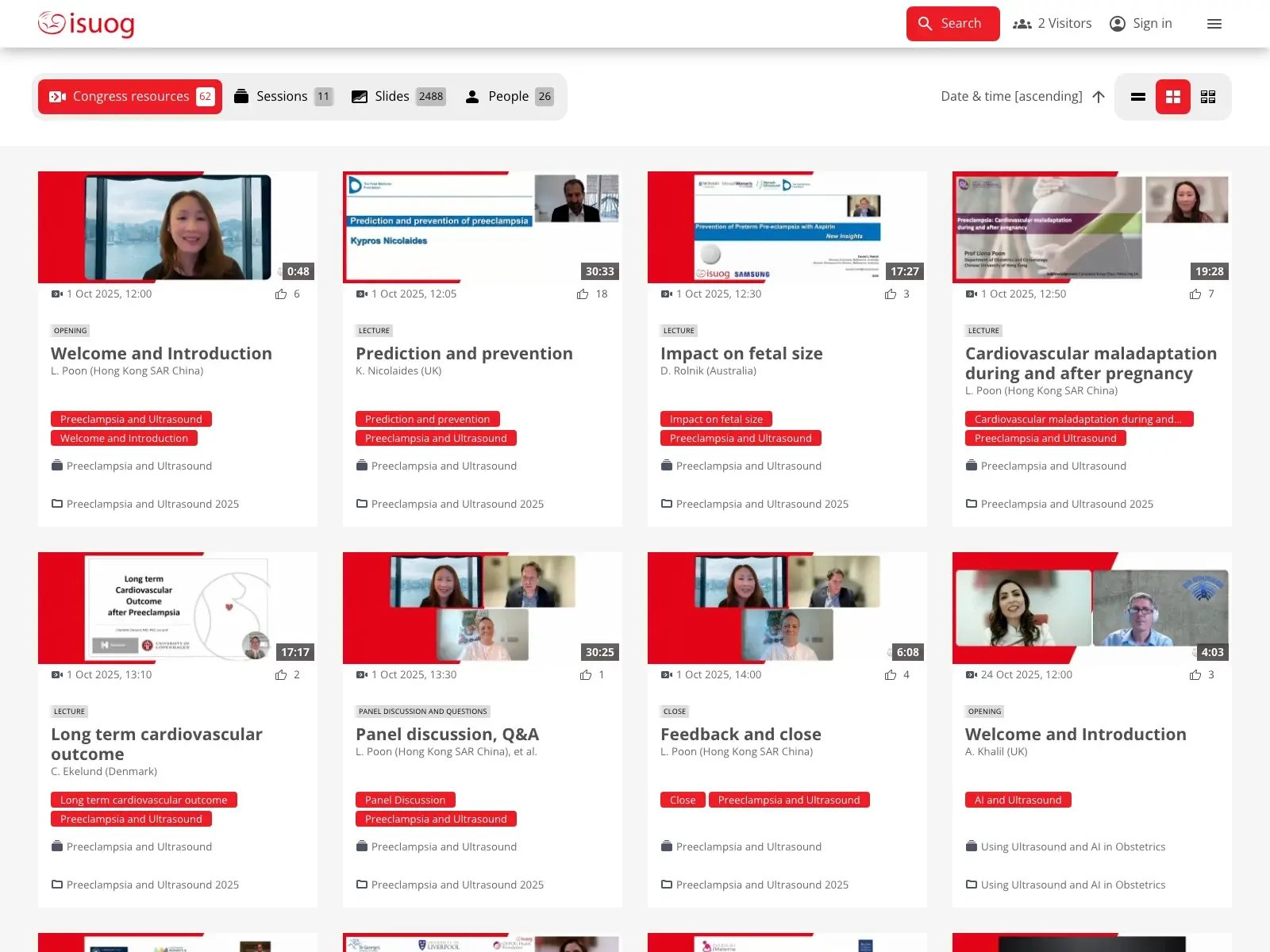](https://events.meta-fusion.com/hubfs/screenshot-ISUOG.webp?hsLang=en)
[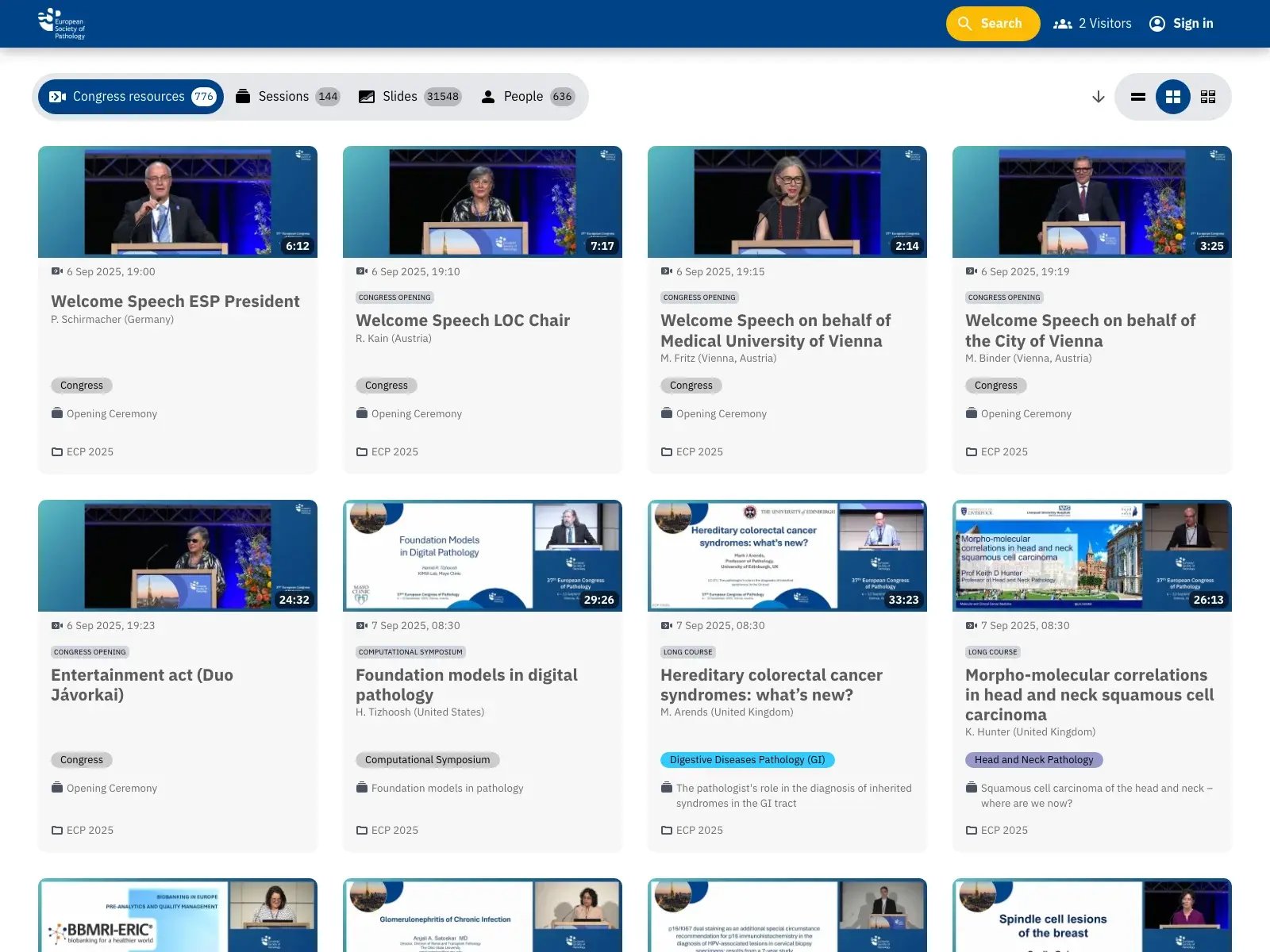](https://events.meta-fusion.com/hubfs/screenshot-ESP.webp?hsLang=en)
[](https://events.meta-fusion.com/hubfs/screenshot-MESA.webp?hsLang=en)
[](https://events.meta-fusion.com/hubfs/screenshot-ESP.webp?hsLang=en)
[](https://events.meta-fusion.com/hubfs/screenshot-UEG.webp?hsLang=en)
[](https://events.meta-fusion.com/hubfs/screenshot-DHV.webp?hsLang=en)
[](https://events.meta-fusion.com/hubfs/screenshot-ECCO-CONGRESS.webp?hsLang=en)
[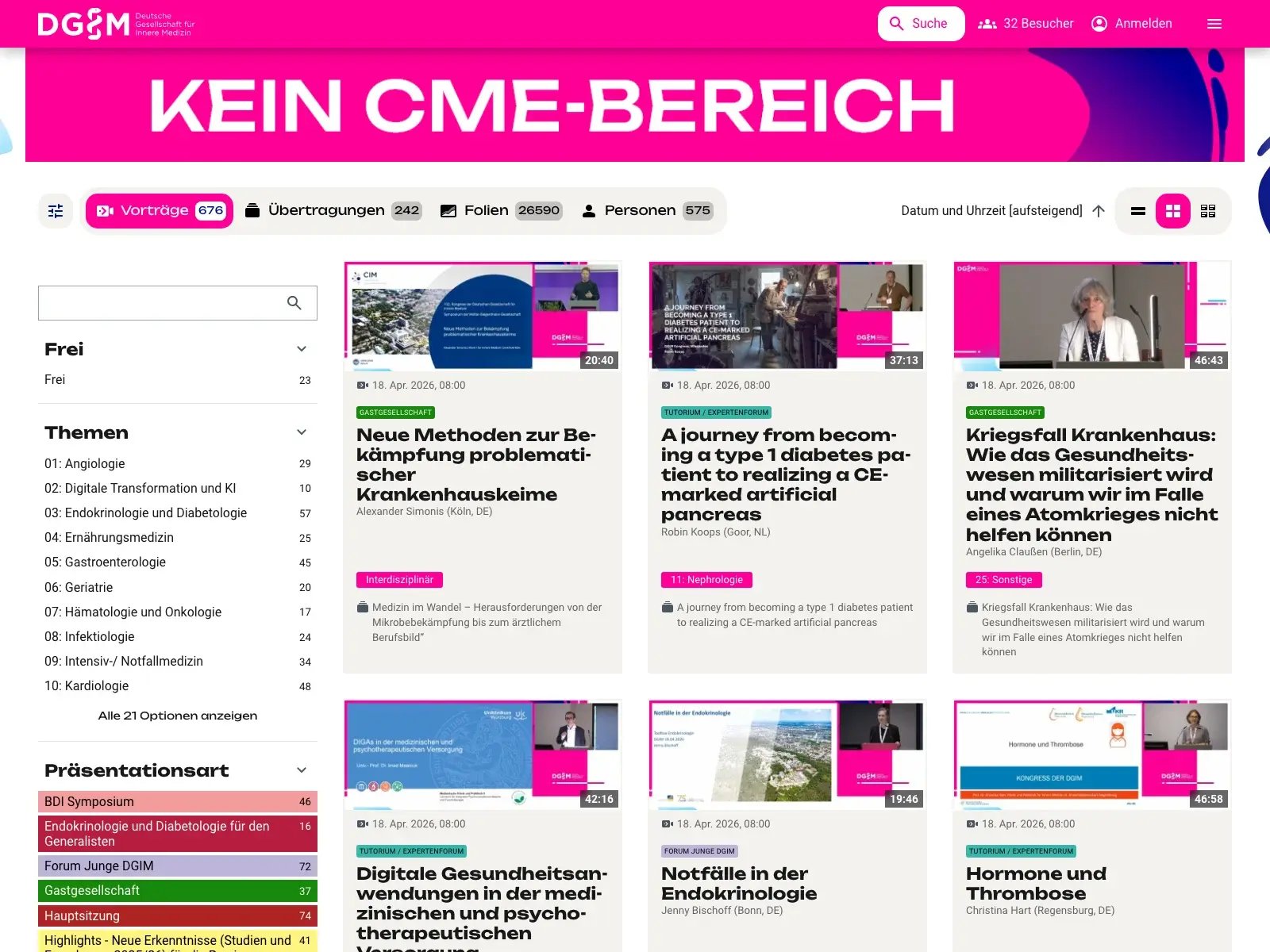](https://events.meta-fusion.com/hubfs/screenshot-DGIM.webp?hsLang=en)
[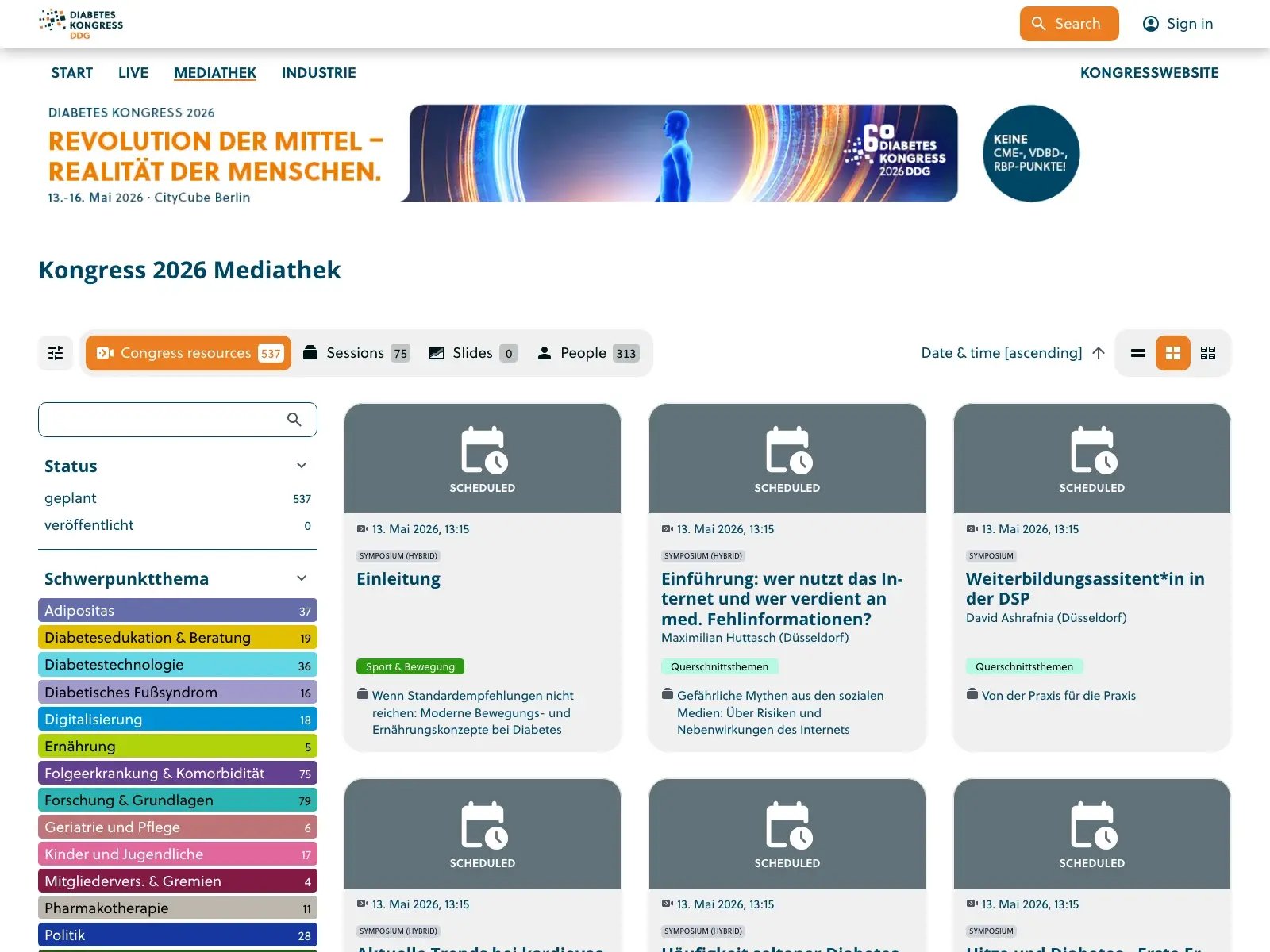](https://events.meta-fusion.com/hubfs/screenshot-DDG.webp?hsLang=en)
[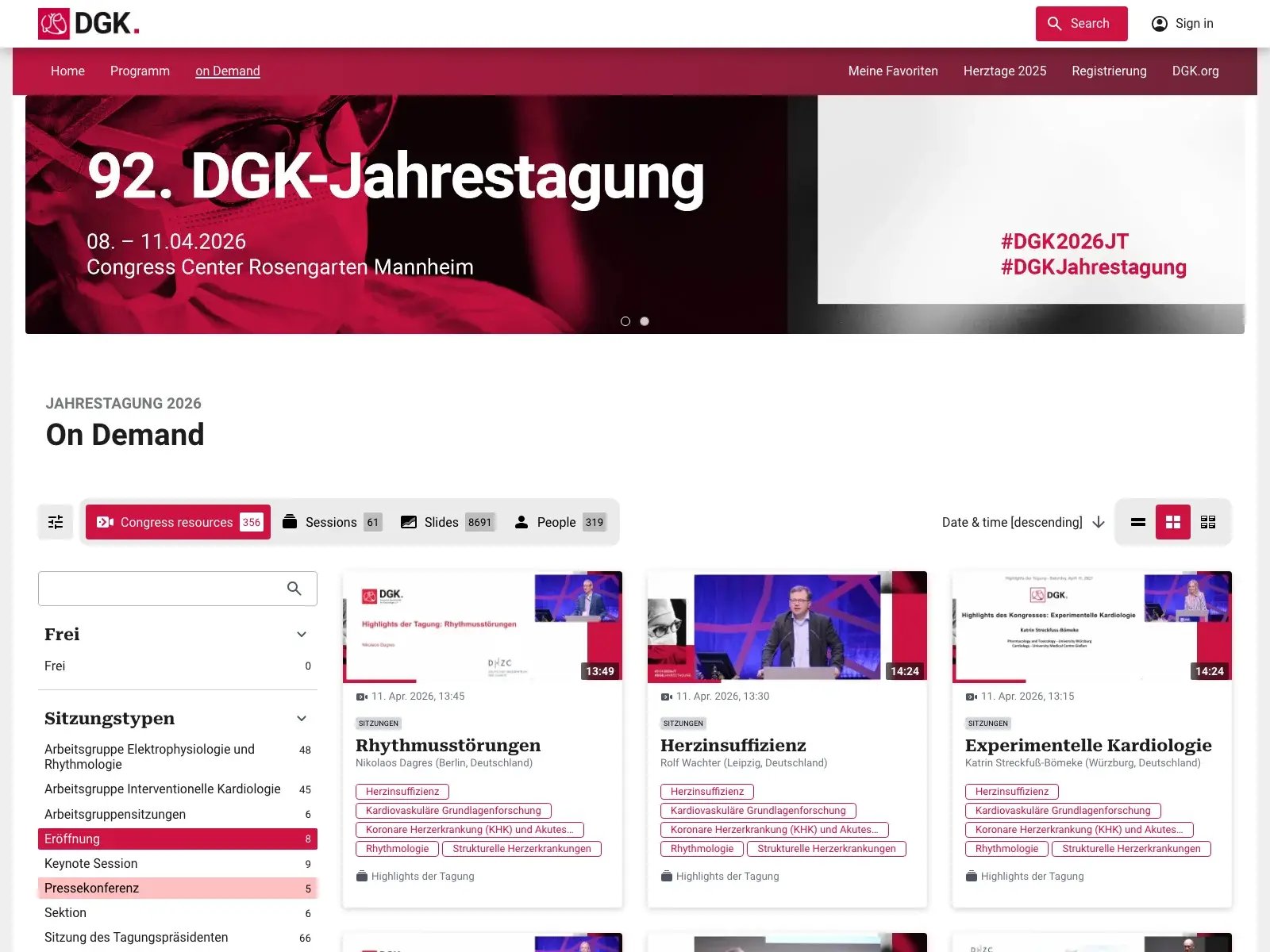](https://events.meta-fusion.com/hubfs/screenshot-DGK.webp?hsLang=en)
[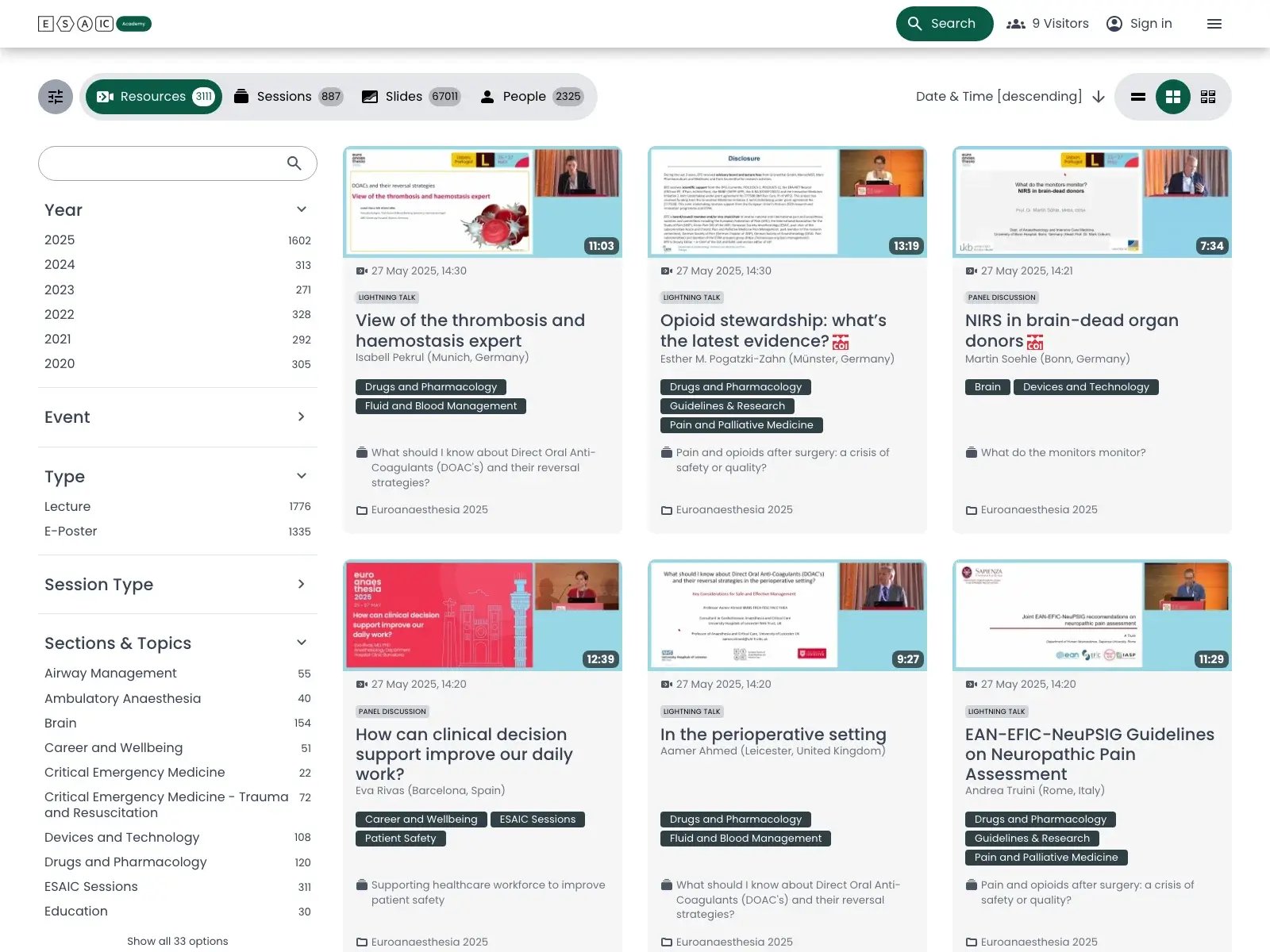](https://events.meta-fusion.com/hubfs/screenshot-ESAIC.webp?hsLang=en)
## The most important **digital service for your congress**
All important information is **collected in one place** here: the video platform. This makes it all the more important that users can find their way around quickly and easily, that functions are easy to use, and that results can be filtered as desired. In other words, **getting to the content you are looking for with just a few clicks**.
That's why our re-designed platform solution will be launched in spring 2026. A new revamped, modern design, resulting in optimised functions, make the video platform an indispensable tool for knowledge transfer.
Want to know what we've come up with? This is the new platform:
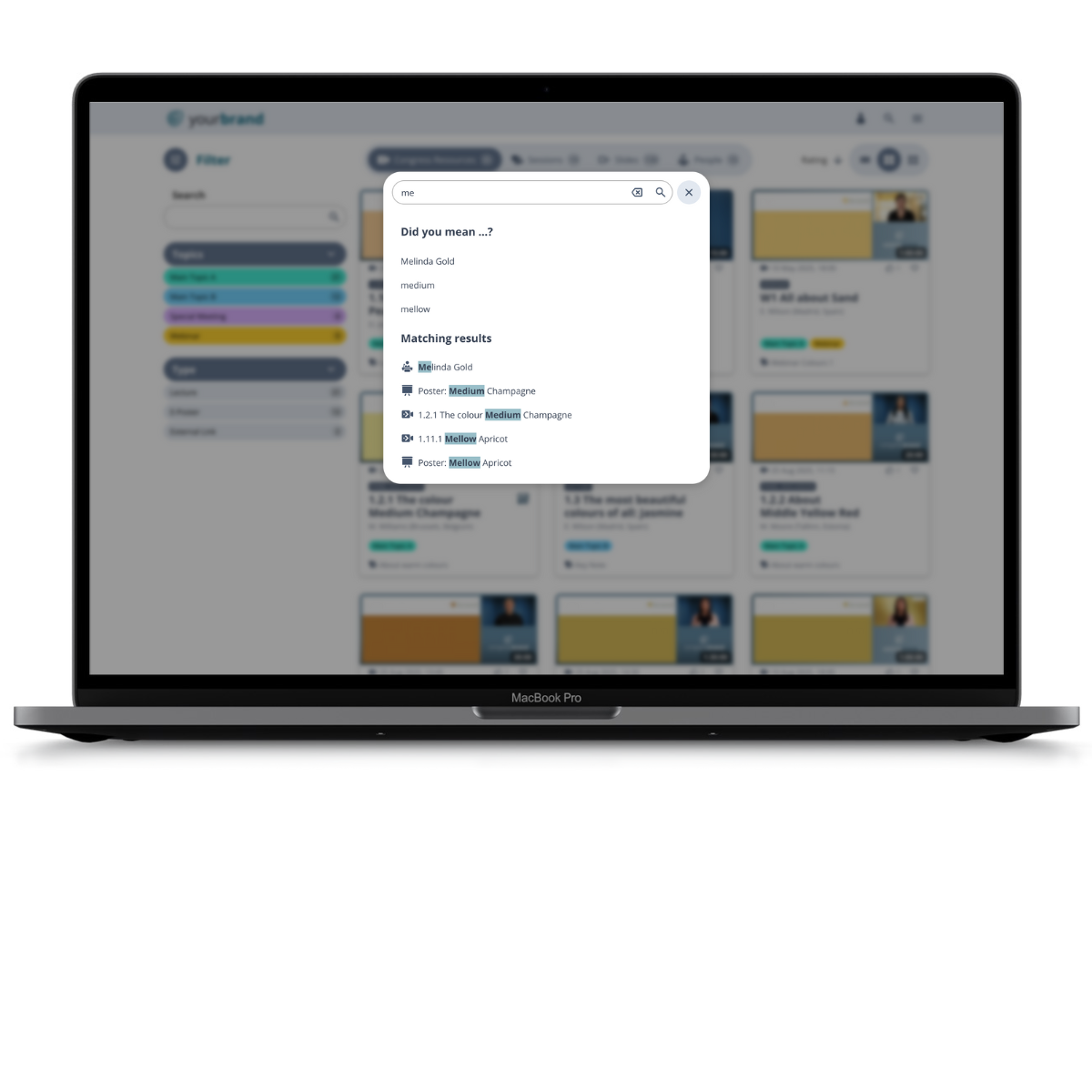
Full Search Possibilities
A comfortable search. The most important thing in a large library.
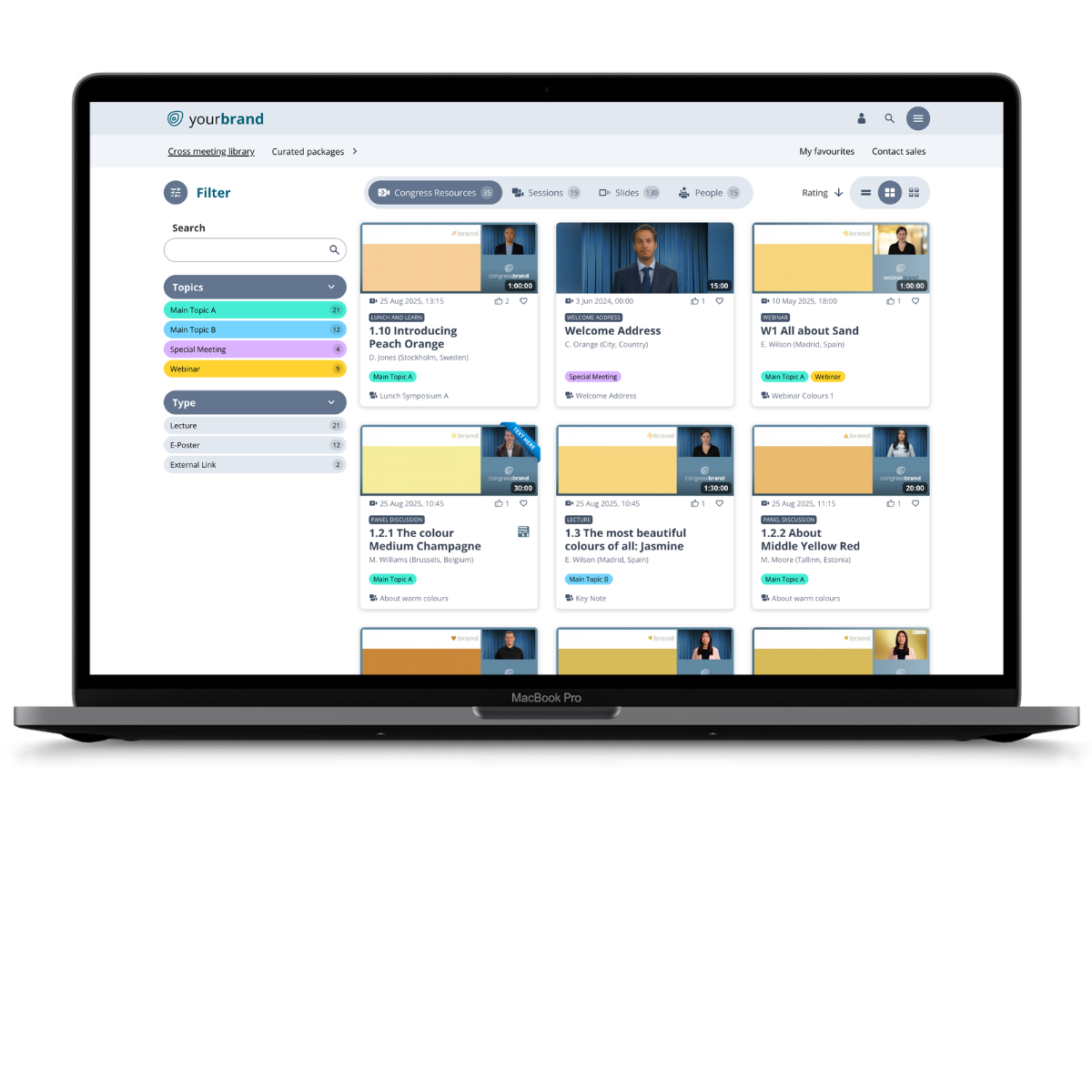
Focus on Your Content
Simplified Look and a Better Overview
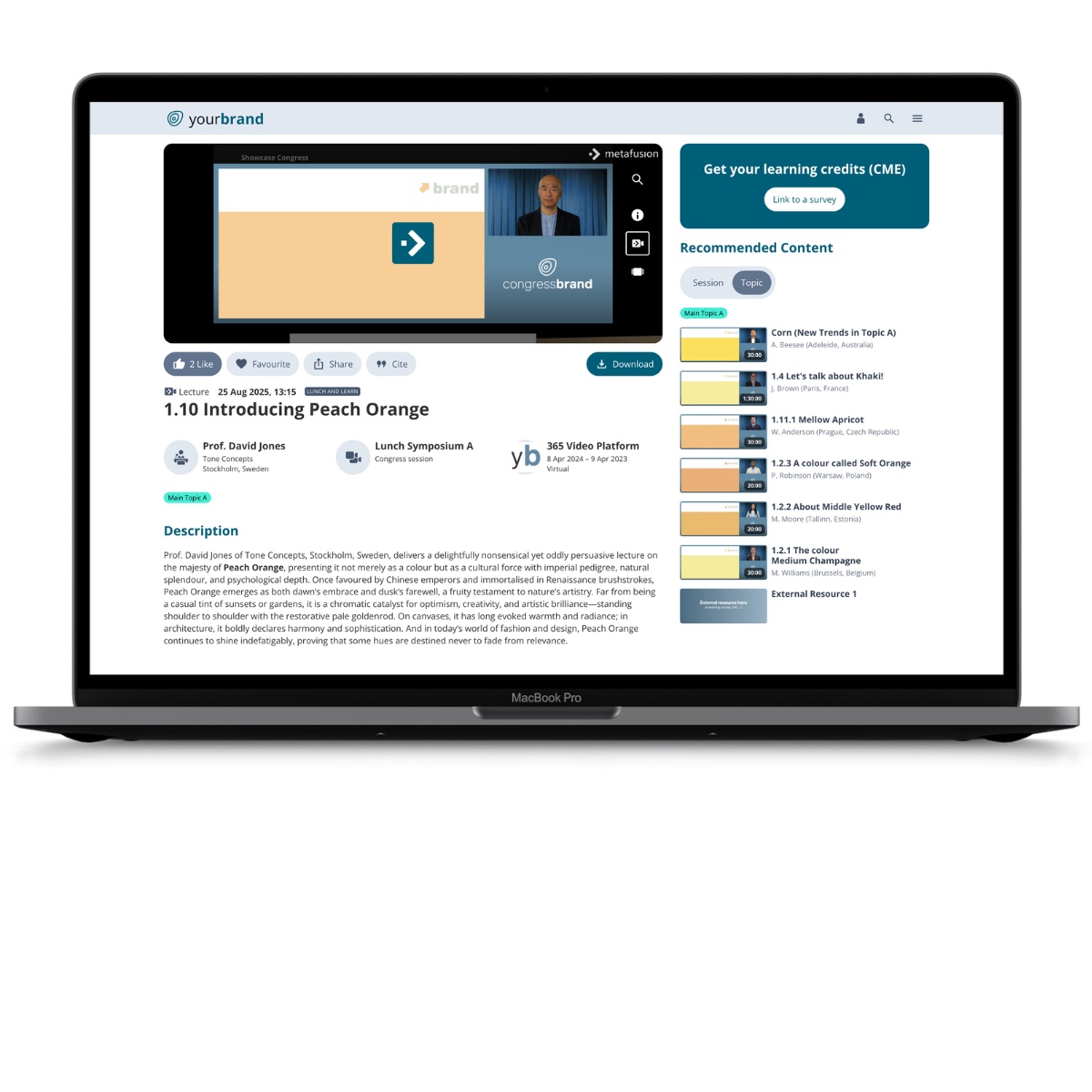
Quick Topic Deep Dive
Improved navigation options
.png?width=1200&height=1200&name=topic%20(2).png)
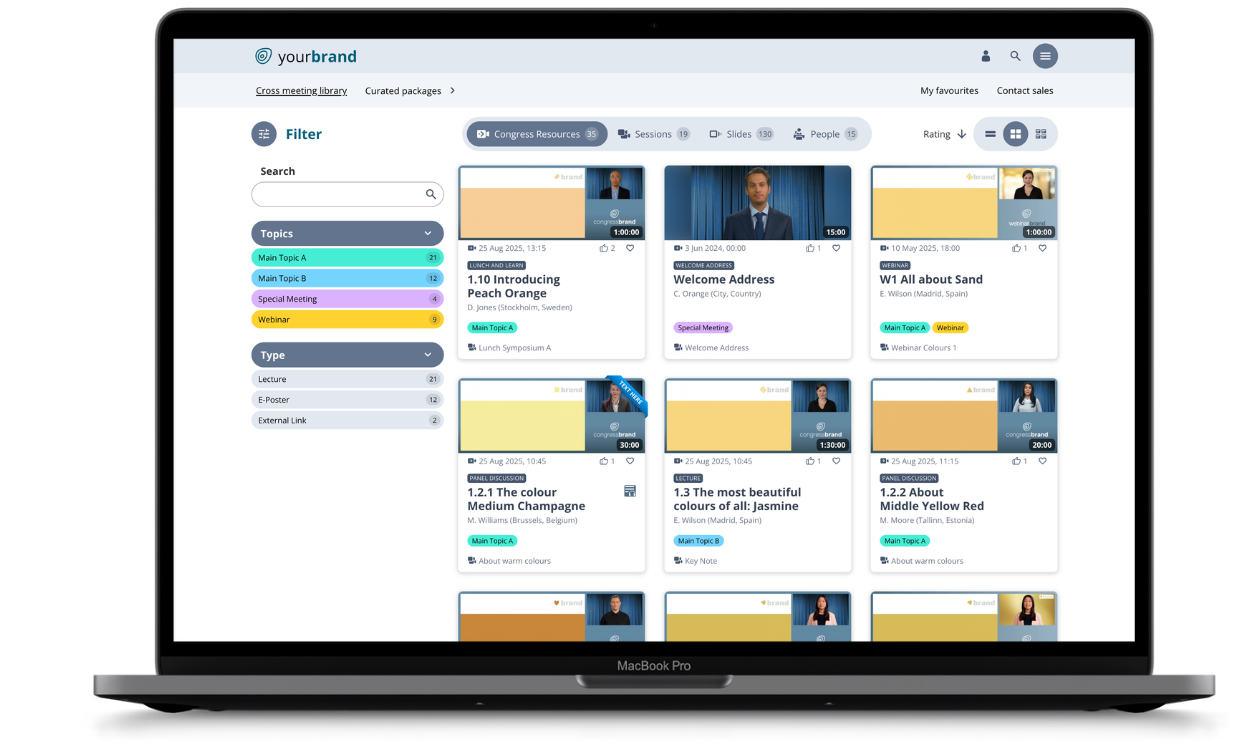
Three Views of Results
Display the filter results in three different ways
## More user experience, more usability and easier operation for your users.
### **The focus is on your content**
Your content is the most important thing – that's why the focus should be on it. We have therefore simplified the entire look to give your users a better overview.
The menu is now located behind the ‘burger icon’ – a minimalist solution that reduces the entire look of the platform to the essentials. What's more, this menu icon is familiar to everyone from its use on mobile devices. Of course, it is uncomplicated to set up a nested menu with three levels if required.
The space this creates in the header can be used, for example, for temporary links to current topics or notices (e.g. Global Library or Live Indicator).
For a better overview, there is also a sitemap in the footer showing all available pages.
[Explore the showcase](https://events.meta-fusion.com/showcase-form?hsLang=en)
### A comfortable search. The most important thing in a large library.
Quick access to the search function from anywhere allows users to operate it conveniently and find the content they are looking for, whether videos, slides or posters, quickly.
The new search function is linked in the main navigation or can be accessed via a keyboard shortcut. It opens in a window and overlays the content, so it can be used anywhere. In addition, the search function is integrated into the filter menu, bringing it closer to the content being searched for.
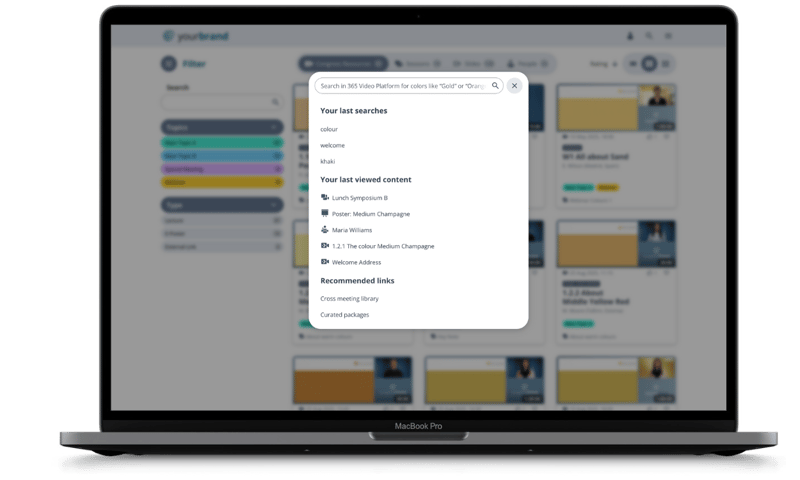
The search window now offers a range of options. The most recently searched terms are displayed, meaning users do not have to re-enter their search term.
Links to my last visited detail pages are also displayed, allowing users to quickly return to pages they have already visited.
[Explore the new design](https://events.meta-fusion.com/showcase-form?hsLang=en)
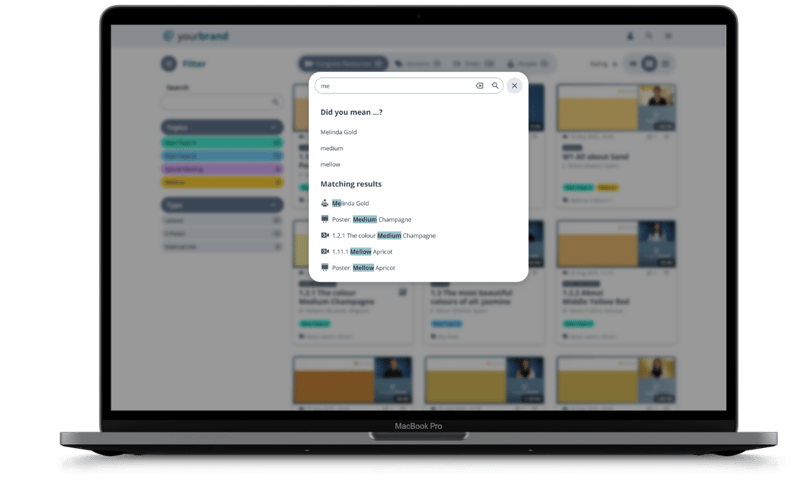
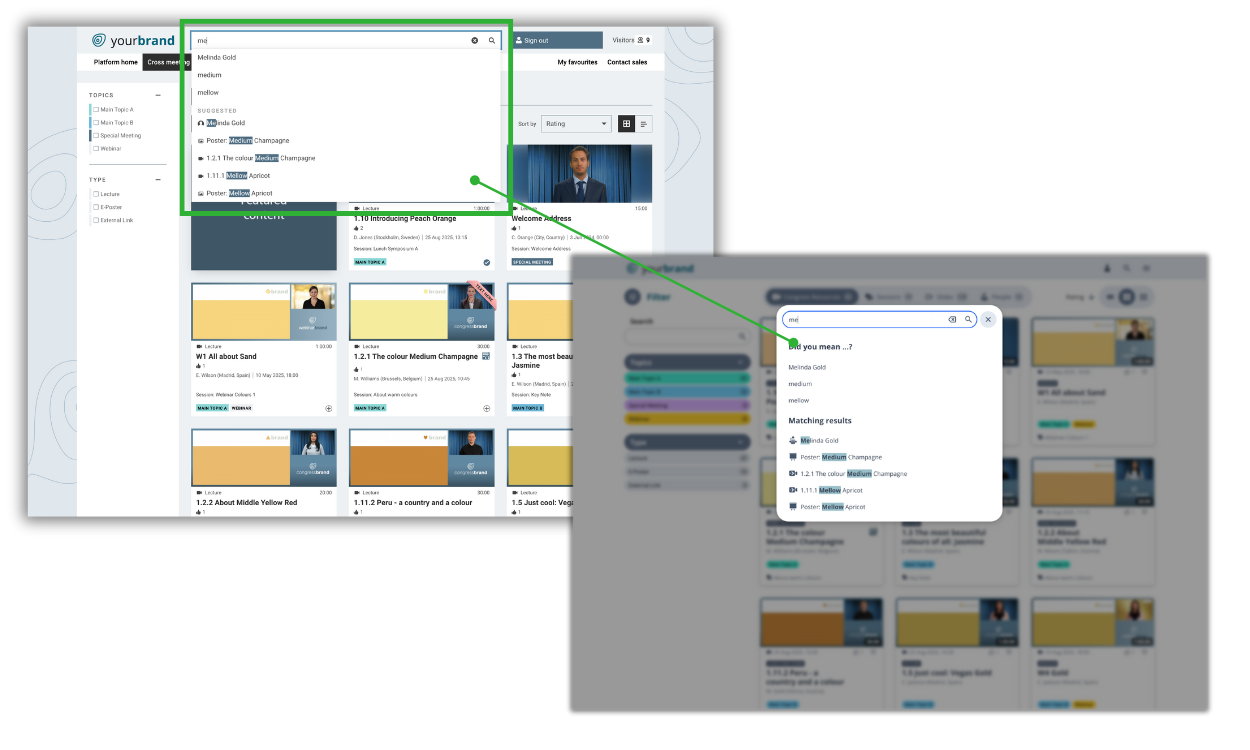
Old vs new search function.
### Deep dive into the topics in a quick way
Improved navigation options, such as a structured and colour-coded filter menu, help users find relevant content more quickly. Familiar colours, such as those used for topics and types, are then also used elsewhere to visualise the direct connection between the content. Further recommendations on topics guide users deeper into the content without having to take a detour via the navigation structure.
[Try the filter function](https://events.meta-fusion.com/showcase-form?hsLang=en)

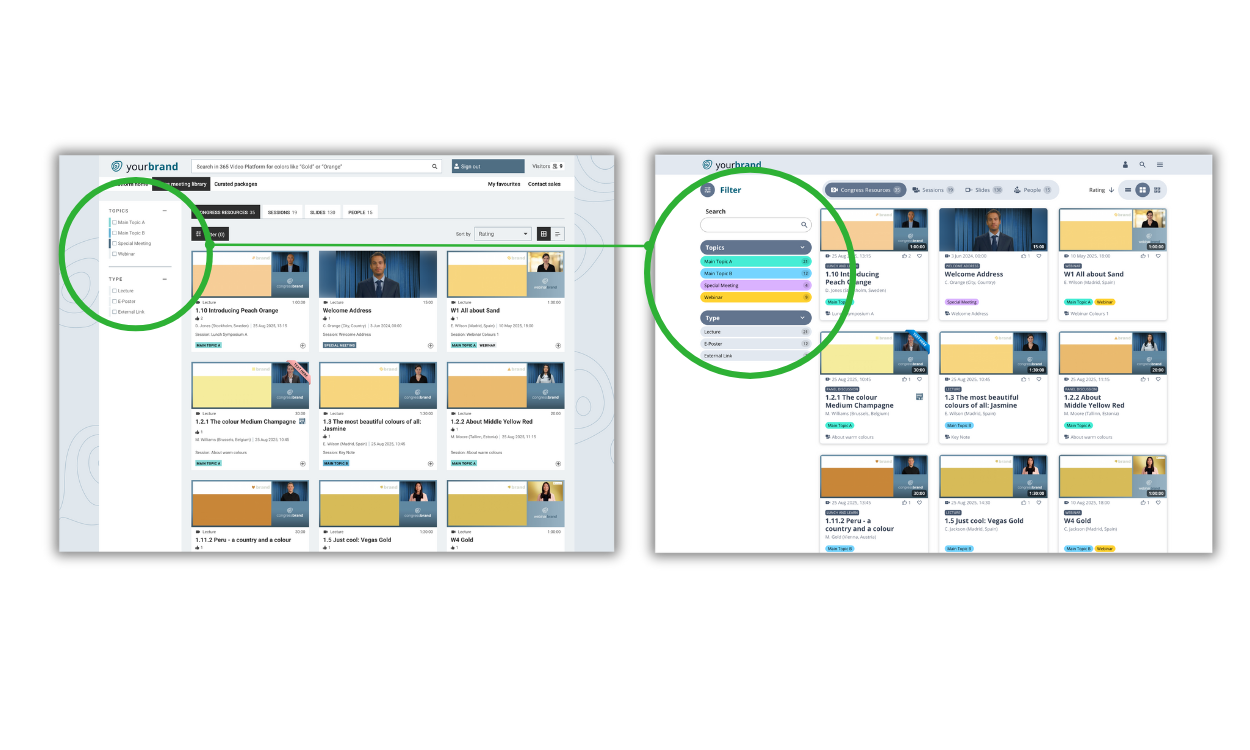
Old vs new filter function.
### **Recommendations for your users.**
A new option for suggesting interesting content to platform visitors can be used via ‘Recommended Pages’. Here, for example, typical live pages such as the timetable and channel page can be linked during an ongoing conference, or new content such as topic packages that are to be promoted can be displayed.
[Explore the recommended content](https://events.meta-fusion.com/showcase-form?hsLang=en)
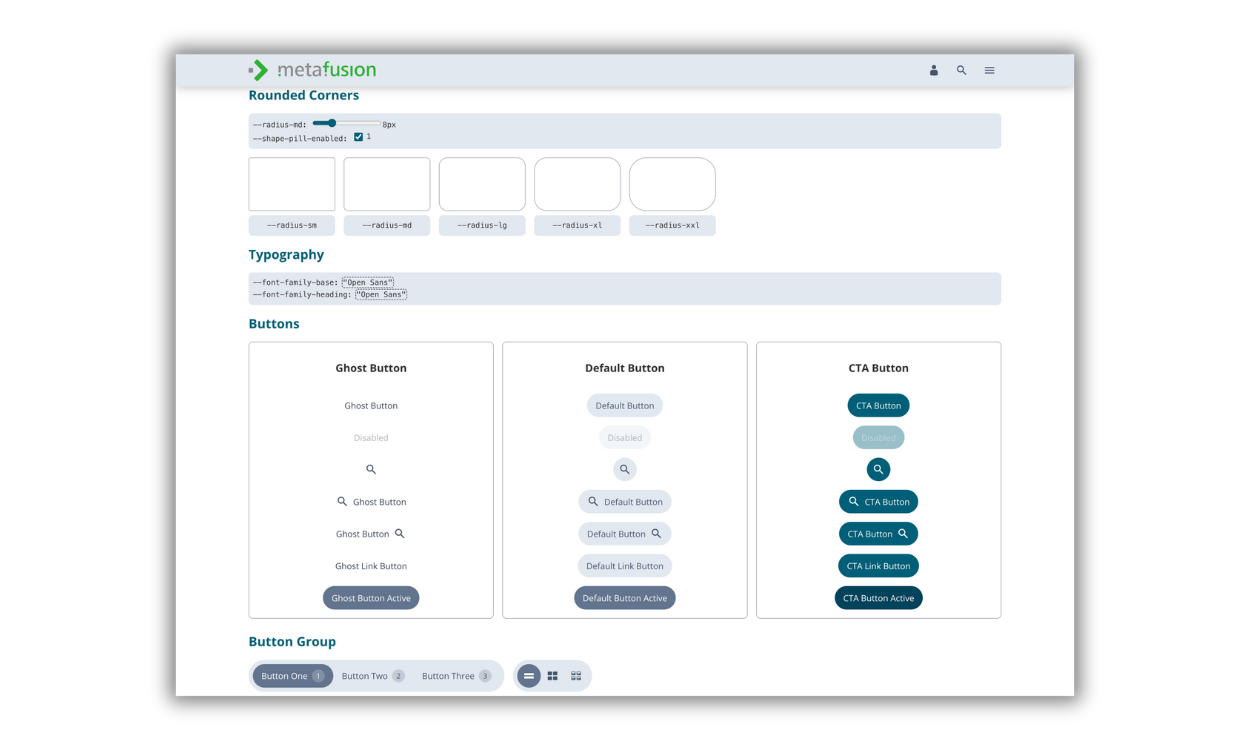
### Your design. Quick and easy.
Using a design system has the advantage that design adjustments to your conference design can be made quickly and easily:
- Branding colours
- Pill-shaped buttons, if desired
- Rounded or square corners
Design the platform to match the branding of your event.
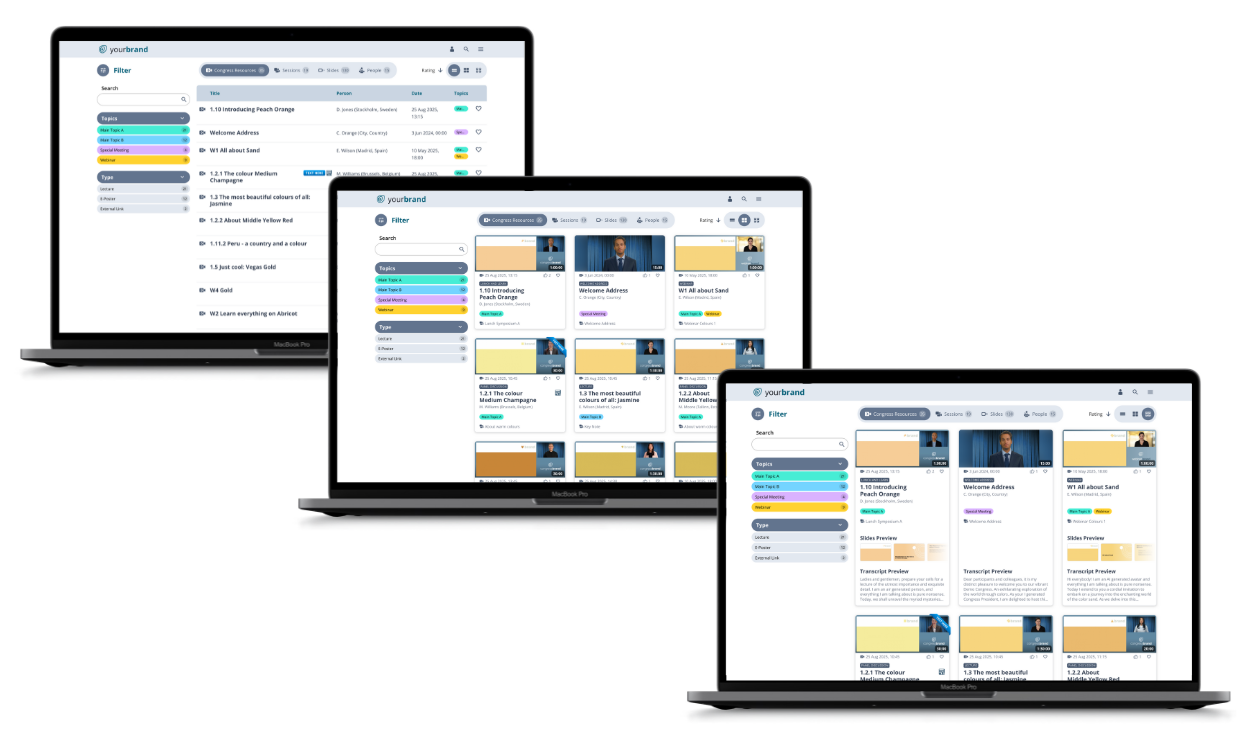
### Three views. As unique as you are.
You're a list person – no problem. Display a quick overview of all presentations as a list. The list shows the title, speaker, date, main topics and session.
Or would you prefer a compact tile view? A visual overview – just like your streaming. Here you can see the start screen of the video, whether it is a lecture, poster, abstract or e-learning session, the main topic, the speaker, the session, the duration of the presentation and the associated conference. Forgotten anything?
Want even more? Here's all the info you need: we provide an expanded view of the presentations, including a preview of slides and transcripts. Here you'll find everything in the compact tiles, plus a preview of the slides and a preview of the transcript.
Of course, we'll remember your favourites and save your preferences so that your selected view is also displayed on other pages.
[Explore the showcase](https://events.meta-fusion.com/showcase-form?hsLang=en)
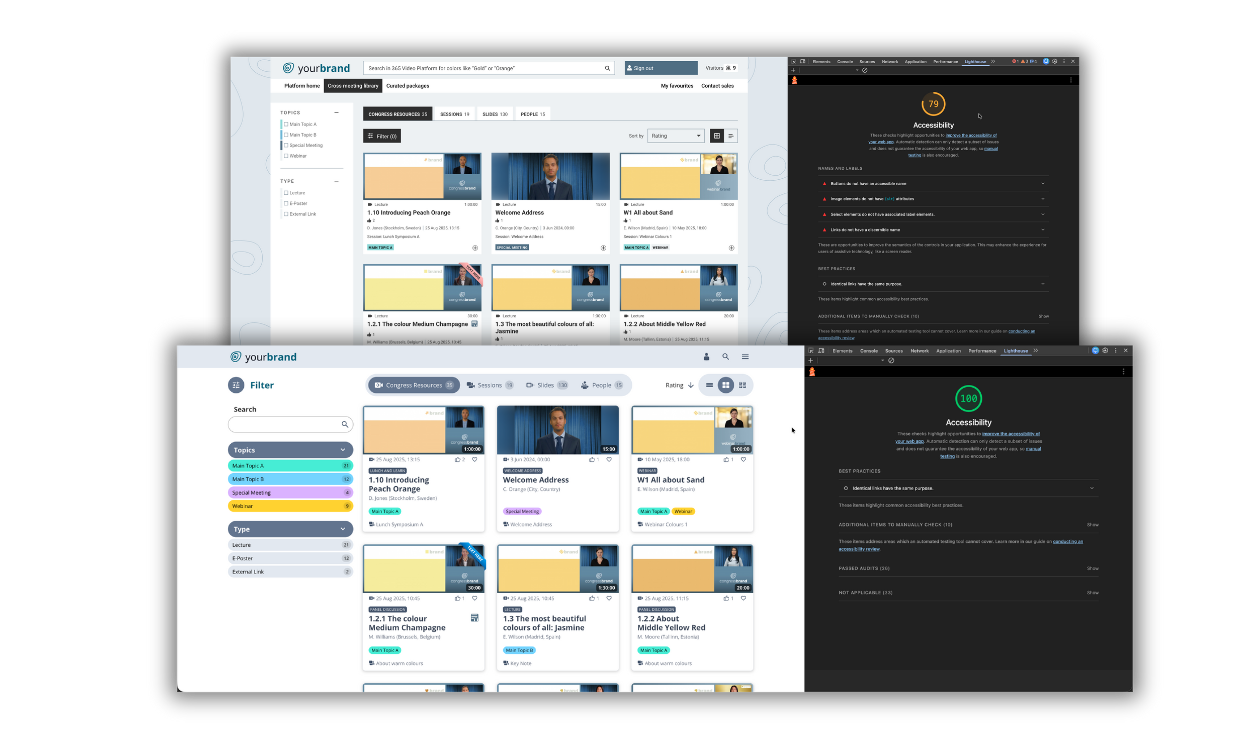
### Well structured. More accessible. For everyone.
Of course, accessibility is also an issue on our platform. Consistently structured headings, structured hierarchies and markings for individual areas optimise readability and help users find their way around the platform more easily. In addition, all components can be operated using a keyboard.
## New Platform Look Benefits
#### More satisfied users
Not only can your members navigate the library more easily, but the search function is also easily accessible from anywhere. Who doesn't like it when things are simple?
More satisfied users
#### Member Engagement
Greater engagement, such as likes, shares, and academic citations, thanks to better filter options and more structured navigation.
Member Engagement
#### State-of-the-art
Present your high-quality scientific content in a modern design and stay up to date. Offer your young members in particular, relevant added value.
State-of-the-art
Ready for the update?
## New look available from spring 2026
Would you like to be the first to see the new look on your platform?
Talk to your project manager!
[I want to be the 1st](https://www.meta-fusion.com/contact-thomasberghausen?hsLang=en)
## Q & A
When will the new design be available?
The new design will be available for all existing platforms in January. It will still be possible to use the old design. From mid-March, the switch to the new design will take place automatically and the old design will no longer be available.
Is there a charge for the redesign?
No, the redesign is free of charge. Your platform will be customised at no cost.
I have a platform. Do I need to take action now?
No, you don't have to do anything. We will contact you when we give your platform a new look. You will be informed in good time. If you have any questions beforehand, please feel free to contact your project manager directly.
How can I see the new design on my platform?
In January, you will have the opportunity to test the new design on your platform. You can switch back and forth with a button in your library.
Can I see the new design now?
You can explore the new design in our showcase. Click on this link to access the showcase: [https://showcase.meta-dcr.com/](https://showcase.meta-dcr.com/)
Will the widgets also be redesigned?
Yes, some of the widgets will also get a new design during the course of the year.
[Back to top](https://events.meta-fusion.com/new-design#top)
Get in contact!
# Let's have a quick chat
How about if we look at the video platform options together?
[Send me a brief message](https://www.meta-fusion.com/contact-thomasberghausen?hsLang=en)

Related Articles
## From Our Blog
Stay up to date with what is new in our industry, learn more about the upcoming products and events.
[Content that lasts](https://news.meta-fusion.com/blog/content-that-lasts?hsLang=en)

[Video Platform](https://news.meta-fusion.com/blog/tag/video-platform?hsLang=en)
#### Content that lasts
Jun 23, 2026, 12:01:12 PM 3 min read
[On-site Video Production – Which One Is Right for My Webcast Project?](https://news.meta-fusion.com/blog/on-site-video-production-which-one-is-right-for-my-webcast-project?hsLang=en)
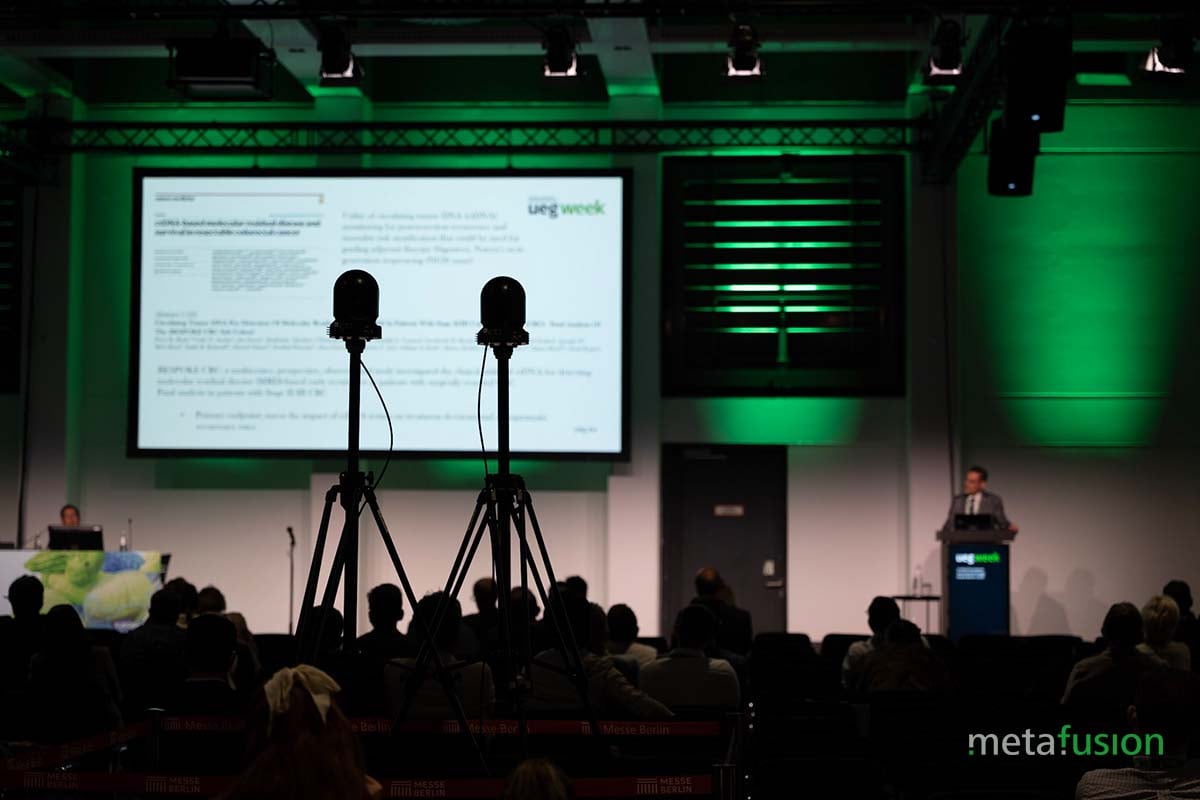
[On-site Congress Service](https://news.meta-fusion.com/blog/tag/on-site-congress-service?hsLang=en)
#### On-site Video Production – Which One Is Right for My Webcast Project?
Oct 21, 2025, 8:56:39 AM 5 min read
[Webcast production – From initial planning to the 365 video platform](https://news.meta-fusion.com/blog/webcast-production-from-initial-planning-to-the-365-video-platform?hsLang=en)
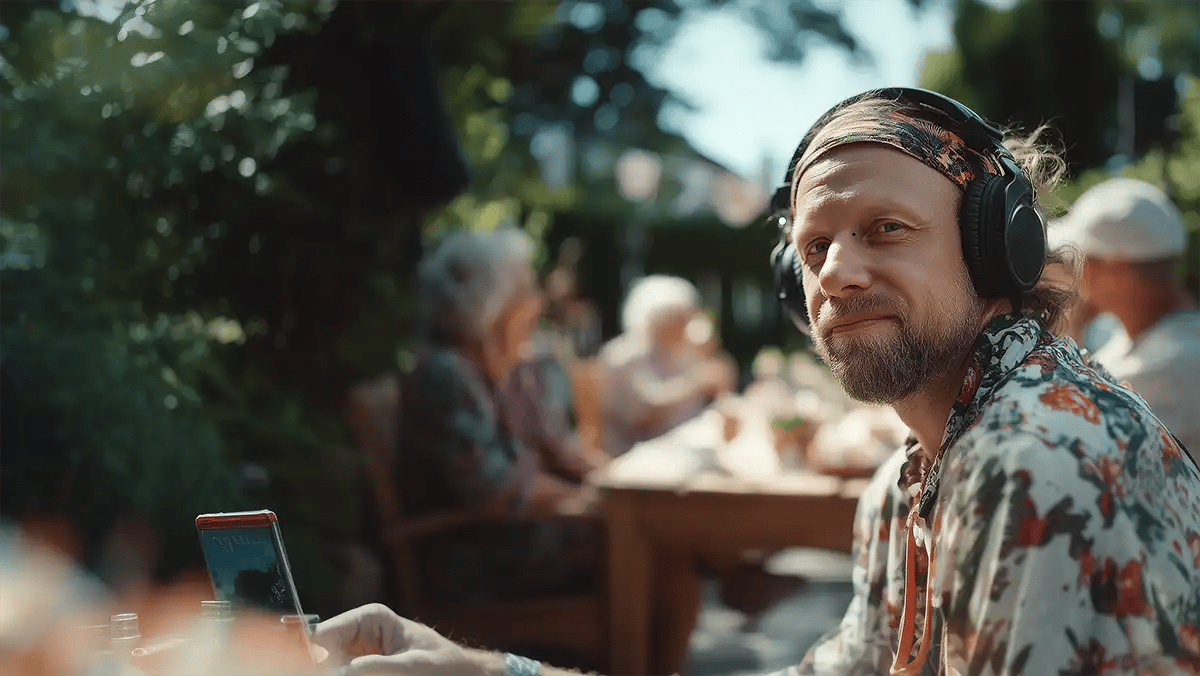
[Webcast Service](https://news.meta-fusion.com/blog/tag/webcast-service?hsLang=en)
#### Webcast production – From initial planning to the 365 video platform
Sep 8, 2025, 3:39:44 PM 6 min read
[Subscribe to Our Blog](https://events.meta-fusion.com/newsletter?hsLang=en)
#### About the company
meta-fusion is the leading provider of digital congress solutions with more than 25 years of experience in producing webcast transmissions of conferences worldwide. We are dedicated to offering comprehensive hybrid meeting solutions and our very own digital congress platform the 365 video platform, which provides real added value for events and long-term usage of knowledge content. And we offer an intelligent video library - the solution for small clubs, AV providers and self-employed entrepreneurs.
[Solutions](https://www.meta-fusion.com?hsLang=en)
- [Congress Content Digitalisation](https://www.meta-fusion.com/congress-content-digitalization?hsLang=en)
- [Meetings & Event Webcast](https://www.meta-fusion.com/meeting-and-event-webcast?hsLang=en)
- [Webinars](https://www.meta-fusion.com/webinars?hsLang=en)
- [365 video platform](https://www.meta-fusion.com/365-video-platform?hsLang=en)
- [Smart Video Library](https://www.meta-fusion.com/video-library?hsLang=en)
- [Meeting Content Video Player](https://www.meta-fusion.com/video-player?hsLang=en)
- [Small Associations](https://events.meta-fusion.com/video-library-for-associations?hsLang=en)
- [Professional Congress Organiser](https://www.meta-fusion.com/video-library-for-pcos?hsLang=en)
- [AV Provider](https://www.meta-fusion.com/video-library-for-av-suppliers?hsLang=en)
[Products](https://events.meta-fusion.com/webcast-and-publishing-products?hsLang=en)
- [On-site Video Production](https://events.meta-fusion.com/on-site-video-production?hsLang=en)
- [Live Streaming](https://events.meta-fusion.com/live-streaming?hsLang=en)
- [On-Demand Webcast](https://events.meta-fusion.com/on-demand-webcast?hsLang=en)
- [Overflow & Digital Signage](https://events.meta-fusion.com/overflow-signage?hsLang=en)
- Virtual Meeting & Webinar Production
- [Congress Website](https://events.meta-fusion.com/congress-website?hsLang=en)
- [Webcast Microsite](https://events.meta-fusion.com/webcast-microsite?hsLang=en)
- [Smart Video Library](https://www.meta-fusion.com/video-library?hsLang=en)
- [Webcast Widget Hub](https://events.meta-fusion.com/webcast-widget-hub?hsLang=en)
- [365-video-Platform](https://www.meta-fusion.com/365-video-platform?hsLang=en)
- [Webinar Hub](https://events.meta-fusion.com/webinar-hub?hsLang=en)
[Resources](https://news.meta-fusion.com/blog?hsLang=en)
- [Blog](https://news.meta-fusion.com/blog?hsLang=en)
[Company](https://www.meta-fusion.com/team?hsLang=en)
- [Our team](https://www.meta-fusion.com/team?hsLang=en)
- [Contact us](https://www.meta-fusion.com/contact?hsLang=en)
- [IBTM 2025](https://events.meta-fusion.com/ibtm-2025?hsLang=en)
- [Zukunftsforum Medizinkongress](https://events.meta-fusion.com/zukunftsforum-medizinkongress?hsLang=en)
- [Backstage with meta-fusion](https://www.meta-fusion.com/backstage-at-a-congress?hsLang=en)
[Pricing](https://www.meta-fusion.com/webcast_services_pricing?hsLang=en)
- [Webcast and Services](https://www.meta-fusion.com/webcast_services_pricing?hsLang=en)
Copyright © 2026 meta-fusion GmbH
- [Terms & Conditions](https://events.meta-fusion.com/terms_and_conditions_meta-fusion?hsLang=en)
- [Privacy](https://events.meta-fusion.com/privay_policy_meta-fusion?hsLang=en)
- [Imprint](https://events.meta-fusion.com/imprint?hsLang=en)
- [AI-Statement](https://www.meta-fusion.com/ai-statement?hsLang=en)